|
|
Enterprise
Application Design
&
Scheduling
|
| |
|
|
|
|
Studio Controls
for
.NET
-
dbiExplorerBar  |
| |
|
|
|
|
|
dbiExplorer Bar is a
multifaceted Outlook bar presentation
control for modern Visual Studio
application development. |
|
|
|
|
|
|
|
|
|
|
|
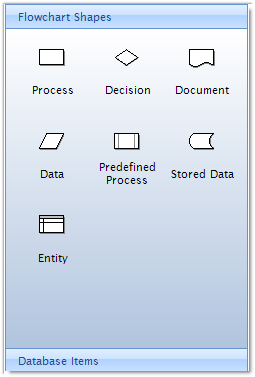 Designed
for developers wanting to add elegant
Windows UX navigation features to their
software. Designed
for developers wanting to add elegant
Windows UX navigation features to their
software.
dbiExplorer Bar
comes complete with current Windows styles and
themes, native data integration and
perfect for building custom branded
Windows and Smart Client applications.
Design-Time Support :: Integrated
menu designer lets developers visually
build the menu in the design surface
(add/remove items, select images).
XML Support :: Read and write XML files
at design and run time that describes
the current presentation (write) or
change the current presentation (read).
|
|
|
|
|
|
|
|
List Panels :: By default, each group
header can have an assigned collection
of list items. Also, setting the group
header as a panel will allow hosting of
other external objects. |
|
|
|
|
|
|
|
|
|
|
|
|
|
|
|
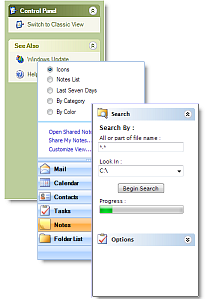 Image Support
:: An image can be
assigned to a group header or list item
directly, or by pointing at an image
with an image list control. Image Support
:: An image can be
assigned to a group header or list item
directly, or by pointing at an image
with an image list control.
Background Image :: Provides support for
a background image for the control.
Allows the developer to assign
a transparency value so it will have a
faded appearance behind the menu items.
Customize The Look :: dbiExplorerBar
provides many features that allow
developers to customize this control for
signature navigation and Windows UI
presentations. |
|
|
|
|
|
|
|
|
|
|
|
|
|
|
|
|
|
|
|
|
|
| |
|
|
|
|