


To manually add the assemblies to your project, please follow these steps:
1. Open your project, and go to the "Solution Explorer" window.
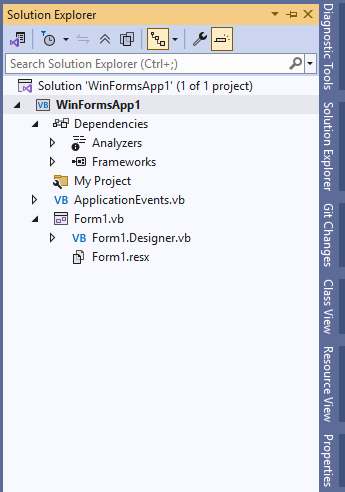
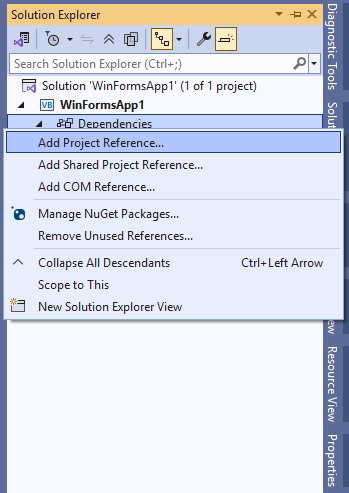
2. Right-click the "Dependencies" item under the project, and select "Add Project Reference" from the context menu.
3. In the Reference Manager window, select "Browse" from the navigation pane. If your desired asssemblies aren't already listed, click the "Browse" button.
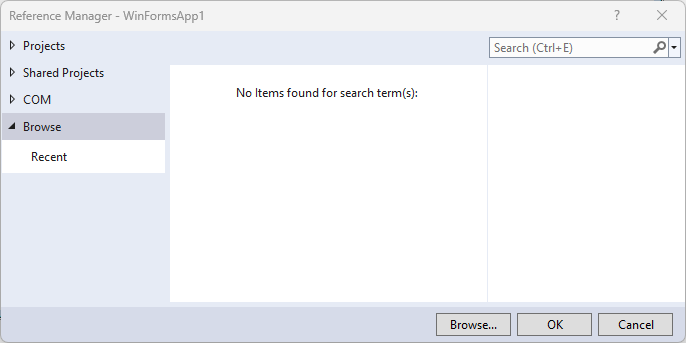
4. Navigate the file selection dialog to the directory with the dbi assemblies inside it, select the desired one, and click "Add".

5. Verify that the desired assemblies are now listed, and checked, in the Reference Manager window. Click ok if all looks correct.
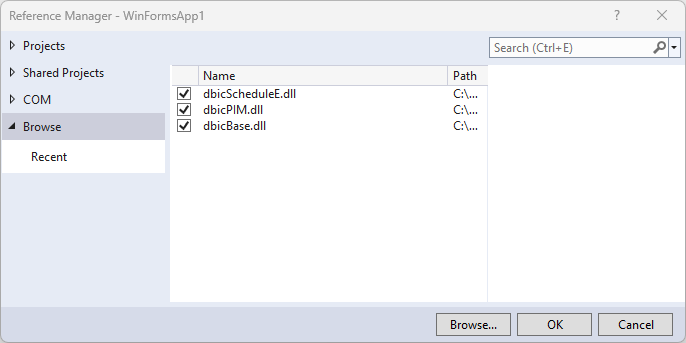
6. The references will now be shown under Assemblies, which is shown under Dependencies.
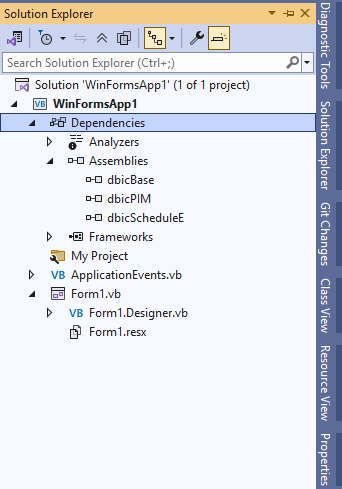
The control's classes are now available to the project.