|
|
Enterprise
Application Design
&
Scheduling
|
| |
|
|
|
|
Studio Controls
for
.NET
- dbi Calculator |
| |
|
|
  |
| |
|
|
|
dbi Calculator control
offers developers an option for custom
branding a functional calculator into
any application using modern
presentations with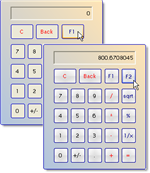 custom programmable
function keys. dbiCalculator accepts
data from mouse clicks, the keyboard and
programmatically. custom programmable
function keys. dbiCalculator accepts
data from mouse clicks, the keyboard and
programmatically.
This is not your average every day
snap-in calculator - designed for
enterprise accounting systems to shop
floor production solutions. dbi
Calculator offers a full range of
User Drawn customization features for tailoring
presentations and capabilities for the
most demanding software requirements. |
|
|
|
|
|
Definable Function Keys :: The
calculator can be set up with up to two
different functions keys. These keys can
be set up to perform any operation
through programming. Function keys
button text may be modified by the
developer.
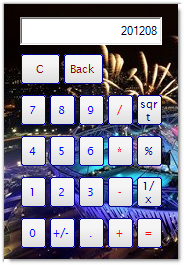 Multiple
Display Options :: The component
includes custom properties to completely
customize button and display font
properties and colors. Multiple
Display Options :: The component
includes custom properties to completely
customize button and display font
properties and colors.
On Equals Event :: dbi Calculator
incorporates an Equals Event that occurs
when the Equal button is clicked or the
Enter key is pressed.
An Equals Method :: Forces the control
to perform an Equals operation.
Clear Method : Forces the display to
re-set to a zero value.
Transparency :: dbi Calculator includes
Transparency providing for transparent
backgrounds without requiring the host
language to support transparency. |
|
|
|
|
|
|
|
|
|
|
|
| |
|
|
|
|