|
|
Enterprise
Application Design
&
Scheduling
|
| |
|
|
|
|
Studio Controls
for
.NET
- dbiCalendar  |
|
|
|
|
|
|
dbi Calendar - is an
Outlook-style month and week view
control for quickly creating a variety
of presentations for WinForms and Smart
Client applications. Present appointment
schedules in multiple formats - month,
week and multi week view with for a
common Windows UI.
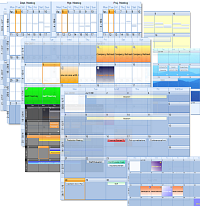 Filtering and grouping features allow
for effective sorting of appointment
schedules, in either Month or Week
views, over a selected time period based
on Contacts, Locations or Tasks. Filtering and grouping features allow
for effective sorting of appointment
schedules, in either Month or Week
views, over a selected time period based
on Contacts, Locations or Tasks.
* Owner Drawn Week Summary
* Maximum selected dates
* Week summary click - selects a
whole week
* Calendar presentation of
schedules
* Filtering and Grouping
* Direct data-management one data
control
* Set presentation styles once for
all instances
* Comprehensive appointment
presentations
* Trigger appointment detail
presentation with built-in settings
|
|
|
|
|
|
|
|
Foundations are supporting structures
that give strength and continuity to the
presentations they support. DBI's
underlying foundation layer gives
one-point support for common visual
presentations and data structures for
each instance of the dbi Calendar
control. |
|
|
|
|
|
|
|
|
|
|
|
 Connect
your data to DBI's underlying data
manager (dbiPIM.dll) and maintain
communication with each instance of the
dbiDayView, dbiCalendar, and dbiMonth
controls with a single reference. Connect
your data to DBI's underlying data
manager (dbiPIM.dll) and maintain
communication with each instance of the
dbiDayView, dbiCalendar, and dbiMonth
controls with a single reference.
Keeping schedules in synch is a much
easier task with dbiCalendar offering
developers the flexibility with which to
implement effective modern Windows User
Interfaces: |
|
|
|
|
|
|
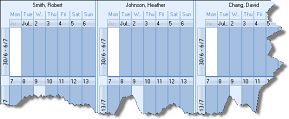 * Developer defined date styles and
formatting
* Developer defined date styles and
formatting
* Current Windows Styles
* Developer defined custom
presentations
* Weekly summary date format
* Built-in print and print preview
* User Drawn Headers |
|
|
|
|
|
|
|
|
|
|
|
|
Presentations, whether on screen or in
printed reports are important. Create
lasting first impressions with dbi
Calendar. Studio Controls for .NET
provides and extends the degree to which
developers can brand and fine-tune
component presentations, including:
* custom fill styles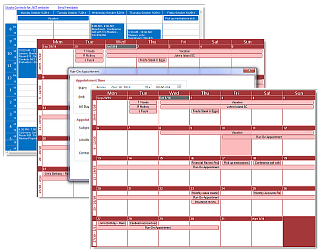
* date level formatting
* background images
* date images
* calendar start time
* calendar end time
* built-in print
* built-in print preview
* output to image
* and much more ... |
|
|
|
|
|
|
|
|
|
|
|
|
|
|
|
|
|
|
|
|