Three WPF
Schedule Controls in one!
|
|
|
Straight forward and to the point - direct edit
appointment scheduling with multiple calendar
and reporting views. |
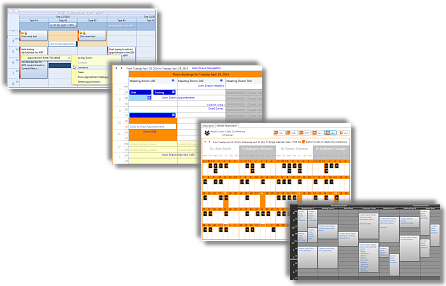
- Month View
- Multi Column Day / Resource View
- Week View
|
 |
|
|
|
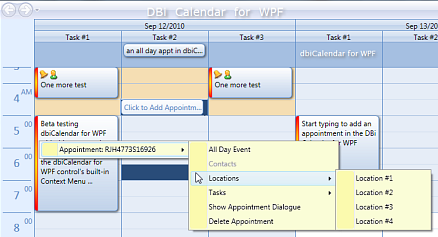
DBI Calendar WPF is the number one choice of
developers for managing: |
- Appointments
- Contacts
- Locations
- Tasks
|
 |
|
|
Across the enterprise
and around the world - provide your end users
with direct inline editing, built-in context
menus, multi object grouping, sorting and full
data integration. |
| |
| Time zone management
made simple. |
|
DBI Calendar WPF
combines three control views;
|
- Multi Column Day / Resource View
- Month Calendar View
- Week Calendar View
|
| ... into one compact,
feature rich, royalty free WPF component
software product - for expertly adding schedule functionality in
any WPF application. |
| |
|
Data Integration
- DBI
Calendar WPF is designed for data flexibility.
Connect to any data source - XML to SQL, Oracle, DB2 ... |
| |
 |
|
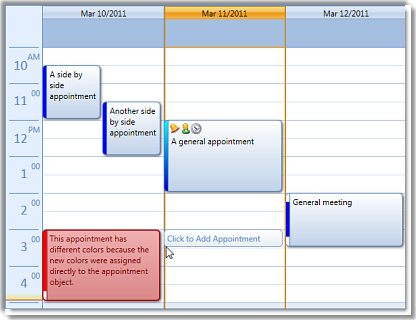
Online -
Appointment Options Demo |
|
|
|
DBI Calendar WPF
Expertly Manages: |
| > |
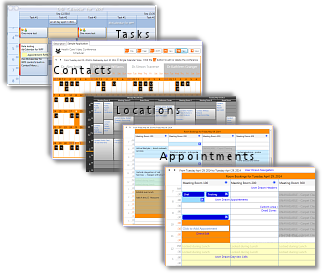
one-to-many and many-to-many relationships |
| It's not
uncommon for one appointment, a conference call
for instance, to appear in many locations, have
many contacts and many tasks associated with
that activity. |
|
|
|
|
 |
| |
| |
|
Variable Time Scale
- Life doesn't
happen in nice even 15, 30 or 60 minute
intervals. Life happens around the clock in any
combination and permutation of time.
|
| |
|
Onsite
service personnel are scheduled when they're
needed, Golf Course Tee Times are scheduled on
7 minute intervals and
components of a dentist appointment may range
from 3 minutes to 75 minutes. |
| |
 |
| |
|
With
Calendar WPF present schedules in time scale
increments of 1 minute to 60 minutes
or any combination in between. |
| |
| |
  |
| |
| |